
A compromised website does not always go offline.
Sometimes it continues working normally. Customers can browse it. Forms still submit. Orders continue to arrive. From the outside, everything appears fine.
Meanwhile, an attacker may have created an administrator account, planted malicious code, added hidden spam pages, created a scheduled task for persistence, or started using the server’s resources.
That is what makes website compromises particularly dangerous: the first visible symptom may appear long after the initial intrusion.
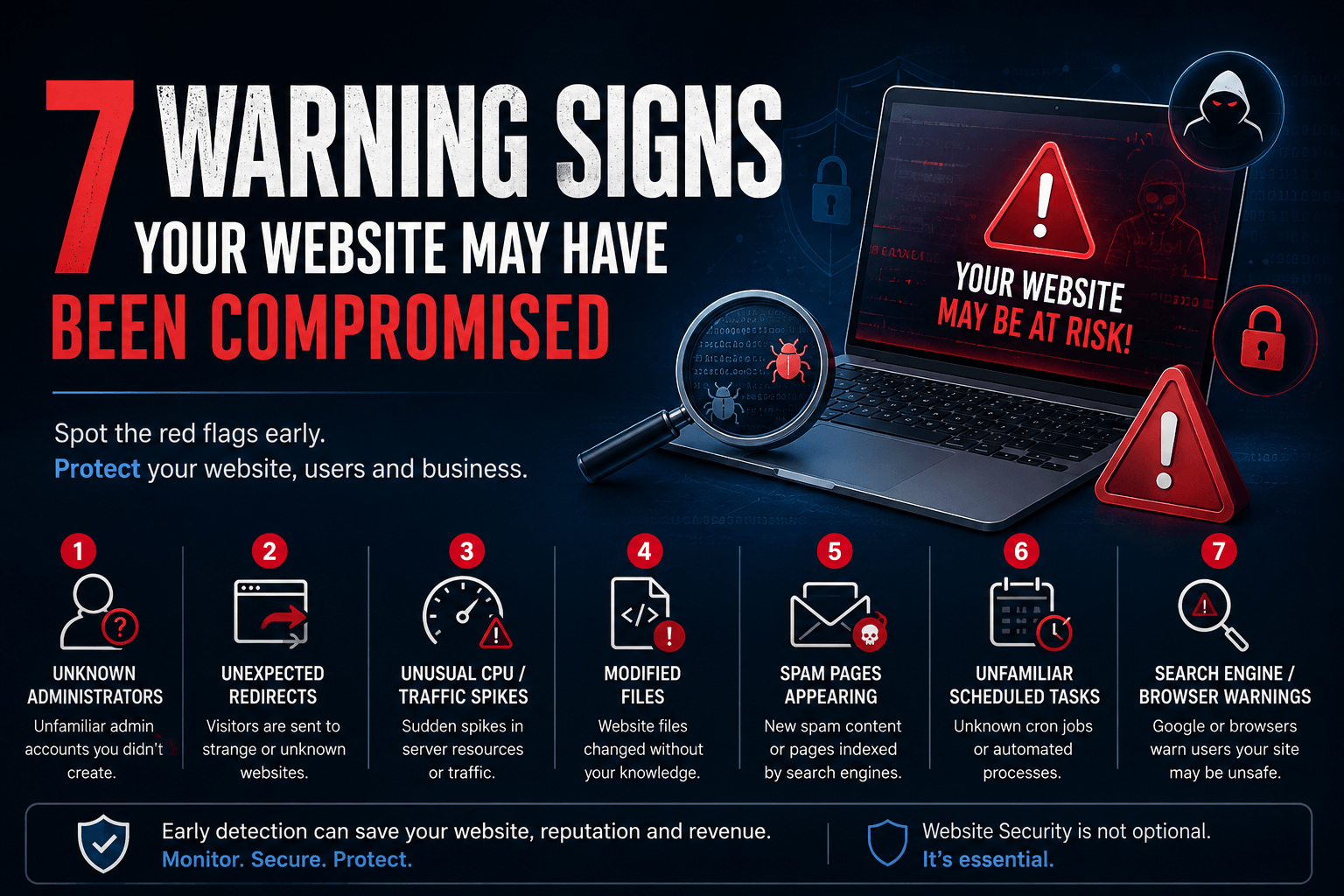
Here are seven warning signs every business should take seriously.
1. Unknown Administrator Accounts Suddenly Appear
Imagine checking your WordPress, CMS, hosting panel or application admin area and finding a user you don’t recognise.
It might look harmless:
support_adminsystemuserwpservicebackup_admin
The natural reaction is to delete it.
But the more important question is:
How was that account created?
An unknown privileged account can indicate compromised credentials, a vulnerable plugin or application, an exposed API, malicious code, or an attacker establishing persistent access.
Simply deleting the account may remove the symptom without removing the underlying access path.
What businesses should check
Review administrator and privileged accounts across the website, application, hosting control panel, cloud environment, database and related services. Verify when unfamiliar accounts were created, inspect recent authentication activity where logs are available, rotate affected credentials and investigate how the account appeared.
Security principle: An unknown administrator should be treated as an incident to investigate—not simply an account to delete.
2. Visitors Are Being Redirected Somewhere Else
A customer tells you:
“When I opened your website from Google, it took me to another website.”
You open the website yourself.
Everything looks normal.
This is where many businesses assume the customer clicked the wrong link.
But malicious redirects can be conditional. They may appear only for mobile users, visitors coming from search engines, specific countries, first-time visitors or certain browser sessions.
Attackers do this deliberately because a redirect affecting every visitor would be detected quickly.
The malicious behaviour may originate from modified application files, injected JavaScript, compromised plugins, database content, DNS changes or other configuration changes.
If customers report unexpected redirects, do not dismiss the report simply because you cannot immediately reproduce it.
3. CPU, Memory or Website Traffic Suddenly Spikes
Yesterday the server was operating normally.
Today CPU usage reaches 90–100%.
The immediate assumption may be:
“We must be getting more visitors.”
Maybe.
But unusual resource consumption can also indicate automated attacks, aggressive bot activity, brute-force attempts, abused endpoints, malicious scripts, cryptomining malware or another compromised process.
This is why infrastructure metrics become valuable security signals.
For example:
Normal Traffic + Abnormal CPU = Investigate
Do not immediately solve the problem only by upgrading the server.
Increasing capacity might make the website faster while leaving the underlying security issue untouched.
Instead, correlate the spike with access logs, processes, requested URLs, source traffic, application logs and recent changes.
4. Website Files Have Been Modified Unexpectedly
Consider a website that has been running for months without a deployment.
Suddenly several PHP, JavaScript or configuration files show recent modification dates.
Nobody on the development team changed them.
That deserves investigation.
Attackers frequently modify existing files or introduce new ones to execute malicious code, create backdoors, redirect visitors, inject spam or maintain access.
But there is an important distinction:
A modified file is not automatically malicious.
Updates, cache systems, deployments and legitimate application processes can modify files too.
The question is whether the modification is expected and explainable.
This is why maintaining deployment records, version control, backups and file-integrity visibility can make incident investigation dramatically easier.
5. Strange Pages Start Appearing in Google
Your website has 80 legitimate pages.
Google suddenly begins showing hundreds or thousands.
The titles might mention gambling, pharmaceuticals, fake products, cryptocurrency, loans or completely unrelated foreign-language content.
Yet when you browse your website normally, those pages aren’t visible.
This can be a sign of SEO spam or malicious content injection.
Attackers may create hidden pages specifically for search engines, inject links into legitimate pages or manipulate your sitemap and application output.
The impact goes beyond cybersecurity.
It can damage:
Search visibility → Domain reputation → Customer trust → Lead generation
For many businesses, the first person to notice the compromise may actually be the marketing team rather than the IT team.
6. Unfamiliar Scheduled Tasks or Automated Processes Appear
A developer cleans malicious files from the website.
Everything looks good.
Two hours later, the malware returns.
They clean it again.
It returns again.
Why?
Because the visible malware may not be the attacker’s persistence mechanism.
An attacker can potentially use scheduled tasks, cron jobs, startup mechanisms, compromised application processes or other automated execution methods to recreate malicious files or download another payload.
That is why effective malware remediation cannot stop at:
Find malicious file → Delete file → Done
A stronger investigation asks:
How did it arrive? What executes it? What keeps bringing it back? What access allowed this to happen?
Without identifying the persistence mechanism and initial entry point, cleanup may only be temporary.
7. Browsers or Search Engines Start Warning Visitors
This is one of the most visible warning signs.
Customers may encounter messages indicating that a site is dangerous, deceptive or potentially harmful.
At this stage, the problem is no longer purely technical.
It has become a business trust incident.
Potential customers may leave immediately. Employees may hesitate to access the website. Marketing campaigns may send visitors to a warning page. Search visibility and brand reputation can also suffer.
Removing the visible malicious content is only part of the response.
The organisation should determine what was compromised, identify the likely entry point, remove persistence, update vulnerable components, rotate affected credentials, verify clean operation and then follow the appropriate review process with affected security or search services.
One Warning Sign Should Trigger Investigation
There is an important distinction between a warning sign and proof of compromise.
A CPU spike might simply be legitimate traffic.
A modified file might result from an update.
A redirect might originate from an incorrectly configured marketing tool.
But when something unexpected happens in a production environment, the safest approach is not to immediately assume either:
“We’ve been hacked.”
or:
“It’s probably nothing.”
Instead:
Observe → Verify → Investigate → Contain → Remediate → Monitor
The objective is to establish what actually happened.
The Website Is Only One Part of the Environment
One of the most common mistakes during website incidents is focusing exclusively on website files.
A modern business website may depend on:
Cloud infrastructure → Hosting → Domain registrar → Source code → Database → CRM → Email → Payment systems → Analytics → Business applications
A compromise involving one system can sometimes provide a path toward another.
For example, changing a compromised CMS password may not help if the attacker’s real access is through the hosting account.
Cleaning the hosting account may not be enough if administrator email is compromised.
Restoring files may not solve the issue if an exposed application vulnerability remains.
Security incidents should therefore be investigated as an environment, not simply as a collection of website files.
What Should You Do If You Notice These Signs?
Do not immediately start deleting suspicious files without understanding the situation, especially on an important production system. Unstructured cleanup can destroy useful evidence or make the original cause harder to identify.
A practical response is:
Preserve → Assess → Contain → Investigate → Clean → Patch → Restore → Verify → Monitor
Preserve relevant logs and backups where possible. Determine the affected systems and accounts. Restrict malicious access. Identify the likely entry point and persistence mechanisms. Remove malicious components, address vulnerabilities, rotate affected credentials and verify the environment before considering the incident closed.
And after recovery, continue monitoring.
Because “the website is working again” does not necessarily mean “the compromise has been fully resolved.”
A Better Question for Every Business
Instead of asking:
“Would we know if our website was hacked?”
Ask:
“If our website were compromised today, how quickly could we detect it, determine what changed, contain the incident and confidently recover?”
That question exposes the real gaps.
Do you have useful logs?
Do you monitor unusual activity?
Are administrator accounts reviewed?
Are backups available and tested?
Can you identify unexpected file changes?
Do you know who has hosting, cloud, domain and production access?
Do you have someone responsible for responding when an alert occurs?
Website security is not simply about preventing every possible attack.
It is about building the ability to prevent where possible, detect early, respond effectively and recover confidently.
Concerned about the security of an existing website or application?